
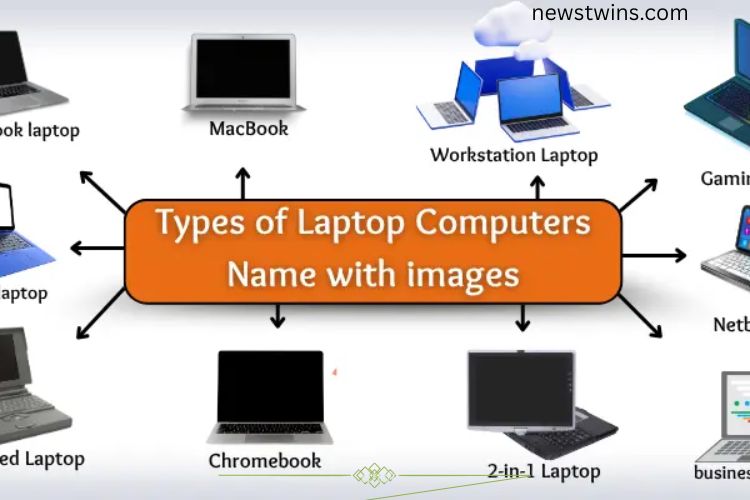
Buying the wrong laptop can be frustrating and expensive. Many people struggle because they don’t know the different types of laptops available. This guide explains the main laptop categories so you can make an informed choice that suits your needs—whether for work, school, gaming, or travel.
Read More: The Ultimate Guide to Laptops: Uncovering Their Remarkable Advantages and Hidden Drawbacks
Types of Laptop Computers
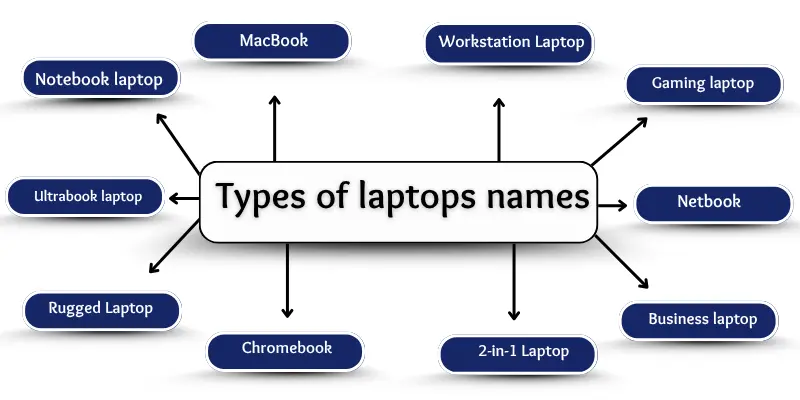
Laptops come in various shapes, sizes, and designs, each tailored for specific tasks. Understanding the differences can save you time, money, and stress. The most common laptop types include:
- Traditional Laptops
- Ultrabooks
- 2-in-1 Laptops (Convertible/Hybrid)
- Gaming Laptops
- Business Laptops
- Netbooks
- Chromebooks
- Rugged Laptops
- Workstation Laptops
- Mini Laptops
- MacBooks
Traditional Laptop
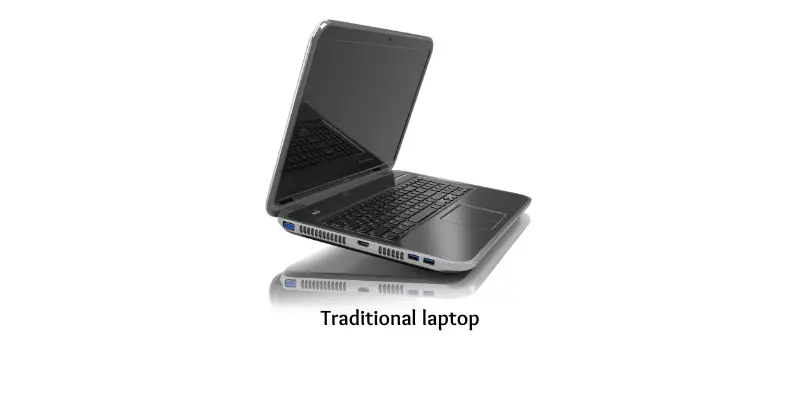
Traditional laptops are the most common type. They combine a screen, keyboard, and battery in a single device that opens and closes like a book. Ideal for students, home users, and office work, these laptops support both online and offline tasks.

Features:
- Runs multiple software programs
- Typically includes a DVD drive
- Multiple USB ports for connectivity
- Connects easily to printers and monitors
Examples: Dell Inspiron, HP Pavilion, Acer Aspire
Ultrabook
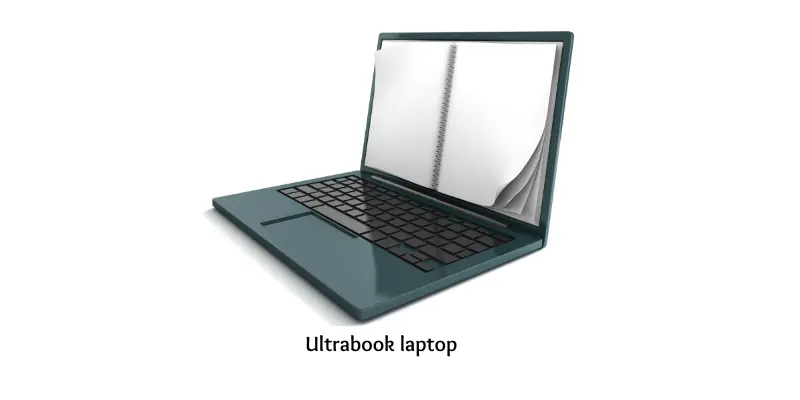
Ultrabooks are thin, lightweight, and portable laptops designed for speed and convenience. They start quickly, have long battery life, and are perfect for students, office workers, and travelers who need a stylish yet functional device.
Features:
- Sleek metal design
- SSD storage for faster performance
- Silent or fanless operation
- Fingerprint security on some models
- USB-C fast charging
Examples: MacBook Air, Dell XPS 13, ASUS ZenBook
2-in-1 Laptop (Convertible/Hybrid)
A 2-in-1 laptop functions as both a laptop and a tablet. Its touchscreen can rotate or detach, making it ideal for drawing, reading, or light computing. Students and creative professionals often prefer these devices for versatility.

Features:
- 360-degree hinge or detachable keyboard
- Stylus pen support
- Auto-rotate display
- Tablet-friendly for kids and artists
Examples: Microsoft Surface Pro, Lenovo Yoga, HP Spectre x360
Gaming Laptop
Gaming laptops are built for high performance. With powerful processors, advanced graphics cards, and high-resolution screens, these laptops handle demanding games smoothly. They are heavier but perfect for gamers who want speed and reliability.
Features:
- RGB backlit keyboards
- Large, high-resolution displays
- Fast cooling systems
- Compatible with gaming accessories
Examples: ASUS ROG, MSI Raider, Alienware
Business Laptop
Business laptops focus on durability, security, and efficiency. They are designed for long hours of work, office tasks, and travel. Sleek and professional, they often come with pre-installed productivity tools and security features.
Features:
- VPN and security support
- Fingerprint scanner or trackpoint
- Easy projector connections
- Durable build for everyday use
Examples: Lenovo ThinkPad, HP EliteBook, Dell Latitude
Netbook
Netbooks are small, lightweight, and budget-friendly laptops. They are suitable for basic tasks like typing and browsing the web but cannot handle heavy software. Perfect for beginners or users who need portability over power.
Features:
- 10–12 inch screens
- Low-power processors
- Simple design and limited ports
- Ideal for students or kids
Examples: Acer Aspire One, Samsung N150, ASUS Eee PC
Chromebook
Chromebooks run on Google’s Chrome OS and excel in online tasks. They start instantly, sync with Google Drive, and support Android apps. Schools and casual users prefer them for reliability, simplicity, and security.
Features:
- Fast system updates
- Android app compatibility
- Works with Google Classroom
- Long battery life and virus protection
Examples: HP Chromebook, Acer Chromebook, Lenovo Chromebook Duet
Rugged Laptop
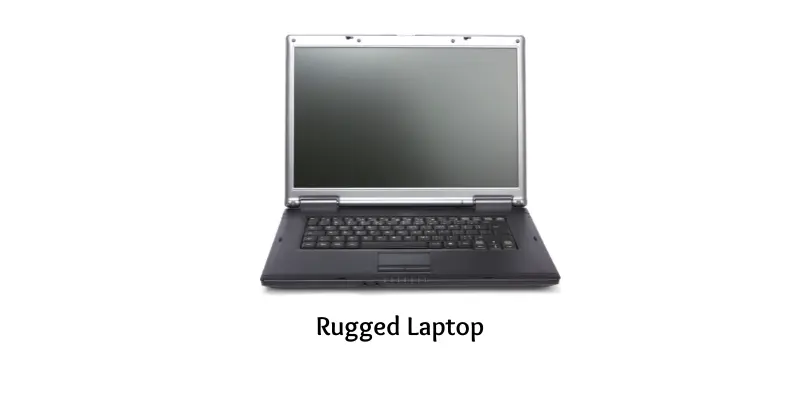
Rugged laptops are built to survive harsh conditions. Dust, water, extreme temperatures, and physical impacts don’t slow them down. They are commonly used in outdoor jobs, factories, and military operations.
Features:
- Shock-resistant frame
- Sealed ports to prevent dust
- Touchscreen works even when wet
- Durable for extreme environments
Examples: Panasonic Toughbook, Dell Latitude Rugged, Getac B300
Workstation Laptop
Workstation laptops deliver professional-grade performance for demanding tasks like 3D design, video editing, and engineering. With advanced processors, large storage, and optional external graphics cards, these laptops are fast and powerful.
Features:
- Supports 4K or higher resolution
- Runs software like AutoCAD and Adobe Premiere
- Dual cooling fans for heavy workloads
- Multiple storage options
Examples: HP ZBook, Dell Precision, Lenovo ThinkPad P Series
Mini Laptop
Mini laptops are ultra-compact, lightweight, and easy to carry. Best for basic work such as writing, browsing, or travel, they trade power for portability.
Features:
- 7–11 inch screen size
- Lightweight, under 1.2 kg
- Low power consumption
- Simple OS and interface
Examples: ASUS EeeBook, HP Stream 11, Lenovo IdeaPad Mini
MacBook
MacBooks are Apple laptops known for premium design, smooth performance, and long battery life. Running macOS, they integrate seamlessly with other Apple devices, making them ideal for students, creatives, and business users.
Features:
- Retina display for sharp visuals
- macOS for smooth and user-friendly operation
- Built-in apps like iMovie and GarageBand
- Strong battery life
Examples: MacBook Air, MacBook Pro
Frequently Asked Questions:
What types of laptops are best for beginners?
For beginners, traditional laptops, Chromebooks, and ultrabooks are ideal. They are easy to use, reliable, and versatile for daily tasks like browsing, studying, and basic office work.
How do I choose the right laptop type?
Consider your needs—gaming, study, travel, or work. Check for portability, battery life, performance, and budget. Our guide explains each type in detail to help you make an informed decision.
Are 2-in-1 laptops good for beginners?
Yes. 2-in-1 laptops (convertible/hybrid) combine tablet and laptop features, making them versatile for note-taking, drawing, and casual computing.
What is the difference between a Chromebook and a Windows laptop?
Chromebooks run on Chrome OS and rely on cloud storage and online apps, while Windows laptops are more versatile, running a wide range of software offline.
Are gaming laptops suitable for beginners?
Gaming laptops are powerful but usually expensive and heavy. They are best for beginners only if high performance for games or graphic work is required.
How important is battery life for a beginner laptop?
Very important. Long battery life ensures uninterrupted work, study, or travel use. Ultrabooks and Chromebooks usually offer the best battery performance.
Can beginners use MacBooks easily?
Absolutely. MacBooks are beginner-friendly, with an intuitive macOS interface, long battery life, and seamless integration with other Apple devices.
Conclusion
Choosing the right laptop doesn’t have to be confusing. Each type of laptop—from traditional laptops and ultrabooks to 2-in-1 convertibles, gaming machines, and MacBooks—serves a specific purpose. Understanding their features, performance, and portability helps you make a smart choice that fits your lifestyle, whether it’s for study, work, travel, or creative projects. By exploring this ultimate guide, beginners can confidently select a laptop that meets their needs, avoids unnecessary expenses, and enhances productivity and enjoyment.